You can login to linked Proficient instances from Skilltech One or from the Proficient login screen using Single Sign On (SSO).
Logging in from SkilltechOne
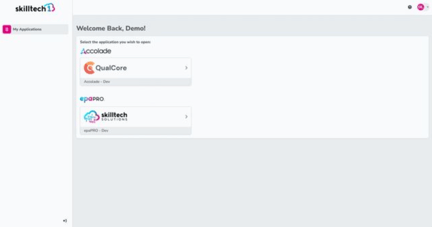
Login to Skilltech One. From the My Applications menu click on the Proficient instance you want to login to.
Logging in from Proficient
On the login screen click the Sign in with SkilltechOne button. You will be re-directed to Skilltech One to enter your login details or if you are already logged in, taken straight to Proficient.

Troubleshooting
No Login with SkilltechOne option
Invalid Link message when logging in from Proficient
If you see the Invalid Link message below, this is likely to be because your Proficient user for this instance has not been linked to your SkilltechOne account, follow this article Link your SkilltechOne account to Proficient to link your account.